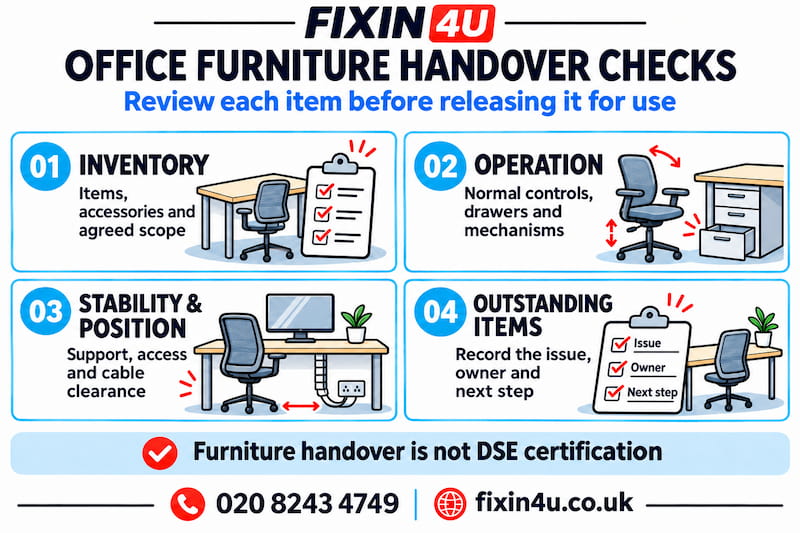
At office furniture handover, check the installed items against the
agreed inventory, ask for normal product operation to be demonstrated
and review stability and positioning. Record missing accessories,
defects and unfinished work with a named person responsible for the
next step. A tidy office is not, by itself, evidence that every
workstation is ready for use.
For
office furniture assembly and setup
,
agree these checks before the visit ends. The handover should distinguish
completed furniture work from outstanding IT tasks, electrical work and
the employer's workstation assessment process.
Use a workstation-by-workstation checklist
Have the approved order, layout and any agreed changes available.
Give each desk or workstation a reference so observations can be
linked to a specific item rather than described vaguely as
“one of the desks”.
Swipe horizontally to read all columns.
What to review before releasing furniture for use
| Check |
Review with the assembler |
Record if unresolved |
| Inventory |
Models, quantities, accessories and agreed configuration. |
Missing or incorrect items and their references. |
| Assembly |
Completion of the manufacturer's required steps. |
Unfinished connections, fittings or required restraints. |
| Operation |
Normal drawer, chair and desk controls as applicable. |
Sticking, unexpected movement or faults. |
| Stability |
Support and any movement noticed during normal use. |
Rocking, loose connections or damaged components. |
| Position |
Layout, chair space, drawer travel and cable routes. |
Obstructions or a position needing review. |
| Documents |
Instructions, care guidance and outstanding-work list. |
Who supplies information or completes the next task. |
 Check the agreed work and make any exceptions visible.
Match the installation to the agreed order
Count the desks, chairs and storage units, then check the details.
Desktop sizes, frame types, pedestal positions and accessory
combinations can differ within one office. Confirm that each
workstation has the configuration intended for it.
Include items that are easily overlooked: cable trays, privacy screens,
monitor arms, handles and supplied keys where applicable. If something
was excluded or deferred, record that explicitly rather than assuming
it has been forgotten or completed.
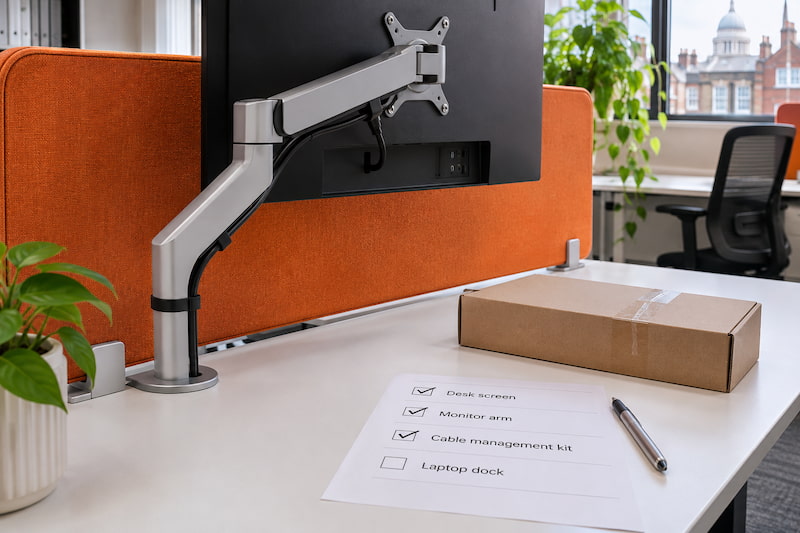 An accessory still in its box should have a clear status at handover.
Ask the assembler to confirm completion against the product
instructions, including any manufacturer-required restraint within
the agreed scope. A required fixing that could not be completed is
an outstanding issue, not an optional detail to overlook.
Ask for normal operation to be demonstrated
Review drawers and doors through their intended movement without
forcing them. Ask how supplied locks and chair adjustments work.
With a height-adjustable desk, follow its own operating instructions
and check the intended movement area before a demonstration.
Keep hands, people and objects clear of moving mechanisms. Do not
demonstrate completion by deliberately overloading a desk, leaning
heavily on a screen or defeating a stop. Normal operation and the
manufacturer's checks are the relevant starting point.
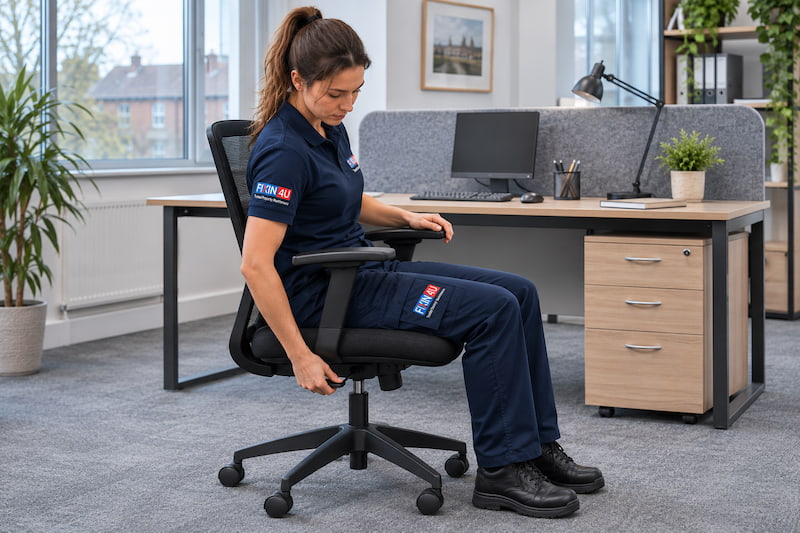 Users need the correct operating instructions for their
particular furniture.
Report sticking, unusual movement or a fault indication before the
item is released. Do not apply a reset sequence taken from a different
model. Desktronic's separate desk and accessory manuals illustrate why
one general guide may not cover the whole workstation.
Review support, stability and the final position
Look for visible damage, gaps that appear inconsistent with the
instructions and incomplete fittings. If a desk rocks or a connection
moves during ordinary handling, ask for the cause to be checked.
Avoid improvised packing or extra tightening as an automatic solution.
 Uneven support is a reason to review the item before use.
Confirm that the final positions match the agreed layout. Check chair
movement, drawer opening and access to neighbouring cupboards. Keep
circulation and escape routes clear, and ensure an accessory or
pedestal has not been placed where it obstructs normal use.
Review visible cable routes where cable management was included.
Cables should not cross walking routes or become trapped by furniture;
adjustable desks need the movement allowance required by their
instructions. This visual review is not an electrical inspection.
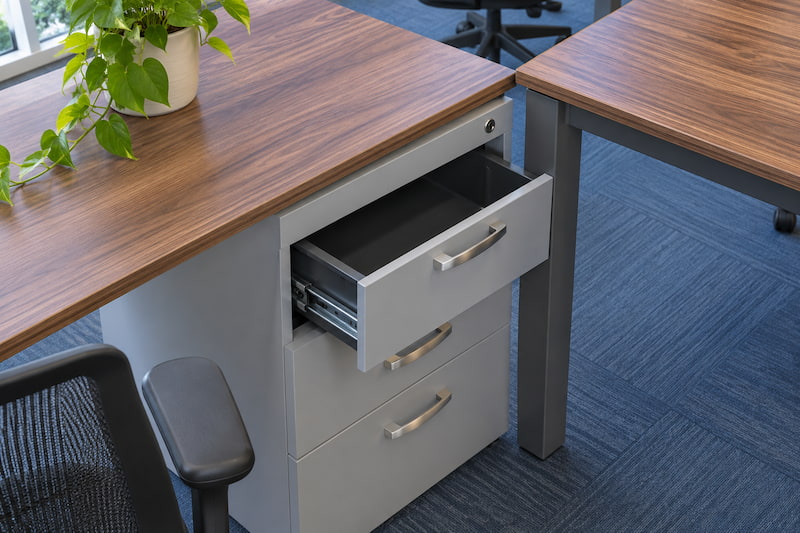 A completed drawer assembly still needs room to open in its
final position.
Record exceptions and separate follow-on responsibilities
Use a short outstanding-work list with the workstation reference,
observed issue, photograph where useful, action owner and agreed
follow-up. Distinguish a missing supplier part from unfinished assembly
or a layout change; each may need a different response.
“Workstation B2: the specified cable tray has not arrived. Office
coordinator to contact the supplier; fitting arrangements to be
confirmed. Record separately whether the current workstation can
be released for use.”
Keep product manuals, care instructions and spare supplied fittings
together. Ask which maintenance or rechecking steps the manufacturer
specifies rather than inventing a universal tightening schedule.
Confirm packaging removal against the agreed scope.
Furniture handover does not certify ergonomics. HSE's DSE guidance
considers the whole workstation, work conditions and individual
requirements, and identifies new or changed workstations as assessment
triggers for relevant DSE users. Arrange this through the employer's
assessment process.
Finally, identify who handles IT connection, any electrical tasks and
the decision to reopen each workstation. A completion record should
describe what was checked and what remains outstanding; it should
not imply that unrelated services were included.
References & Standards
Use the instructions for the supplied furniture and the workplace's
assessment arrangements. This checklist is not an ergonomic certificate,
electrical test or substitute for model-specific checks.